Building Academy Mode
Every other mode in this game assumes you can already type. Endless throws words at you and expects you to hit them. Campaign runs the same expectation across a longer route of tiers and bosses. Fine, if you already type. Useless if you don’t.
My daughter doesn’t, not yet. She’s the reason this whole thing started, and somewhere between building bosses and balancing runs I ended up with a game that couldn’t teach her anything. She can’t hit “the” at speed without knowing that T is a left-index reach, or that her right pinky owns Shift on that side. Monster-fighting doesn’t fix that. You can’t drill fundamentals by accident.
Academy is the part of the game that comes before the game.
#Starting from zero
The first lesson doesn’t teach a word. Two keys, F and J, index finger each, tap and return. That’s the whole lesson. The next one adds the spacebar. The one after reviews F and J together, so the motion settles before anything new gets stacked on top of it.
I built the curriculum key by key, the way you’d actually sit someone down and teach them at a keyboard. Home row, then top row, then bottom row, then Shift, then numbers, then symbols, then the common letter patterns that turn up constantly in real English: th, ing, tion. Each chapter can only ever ask for keys taught that chapter or earlier; there’s a validator that runs at startup and throws if a lesson, or a boss fight, slips in a character the player hasn’t seen yet. I didn’t want to claim “row by row” and quietly break that promise three chapters in because I forgot a symbol was still locked.
#Four kinds of lesson
A lesson here isn’t one format wearing a new set of keys. I picked the shape based on what the skill actually needed.
Piano drills are the new keys alone, played back and forth, f-j-f-j, until the motion stops being a decision. No words yet; words are a separate skill I wanted taught on their own. Each falling key tile lines up on the x-axis with that same key on the on-screen keyboard underneath it, spacebar included, so the drill and the keyboard read as one object instead of two things you have to mentally connect yourself.
Passages are short real text, once there are enough keys to make real text possible.
Anchor lessons hold one hand still. Literally: the lesson tells you to rest a finger on J while the other hand does the work, so you learn to type one-handed without your whole body compensating for it. These stop the moment Shift enters the curriculum. Anchor and Shift fight for the same hand, so a different drill, isolating a keyboard column instead, takes over starting in chapter four.
Battle lessons hand off to the rest of the game. Once a set of keys has been drilled enough to make real words, you fight one to three small monsters using exactly those words. Same JRPG standoff as Endless and Campaign, fed a word list that never touches a key you haven’t learned.
That last one mattered to me more than it probably should have. I didn’t want Academy to feel bolted onto the side of the real game, something you sit through before you’re allowed to have fun. Drill G and H in isolation, and two lessons later you’re fighting a skeleton with words built from them.
#Watching your hands, not your eyes
Every lesson shows a pair of hands sitting over an on-screen keyboard, and they move. A key comes up, the right finger lifts and reaches for it before you press anything, then returns home after. I wanted the guidance physical, not textual: telling a seven-year-old “G is a left-index reach” is a sentence she has to parse first. Showing a hand reach for G is not.
The fingers are color-coded too, pinky through index, same color on both hands, and that color carries from the hand overlay to the on-screen keyboard to the hint text at the bottom of the screen. Three separate parts of the UI teaching the same one system instead of three of their own.
#No locked doors
Lessons are meant to be played in order, and I nudge toward that. Pick one out of sequence and a small prompt appears, recommending you go in order, cancel or unlock. It’s a nudge. Decline it and play anyway. I went back and forth on this for a while. A strict gate guarantees nobody skips a fundamental; it also means an impatient kid, or an adult who half-knows how to type already and just wants the interesting chapter, hits a locked door and probably leaves. I’d rather trust the player and let the curriculum do its own convincing.
Chapter bosses work the same way. Every chapter ends in a fight themed around what it taught, and it’s always playable, cleared lessons or not. The score is a rough gauge of whether you’re ready to move on, something to glance at, not something the game enforces.
#The certificate
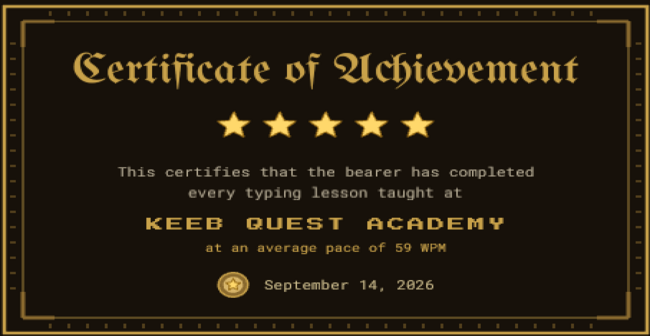
Finish the whole curriculum and you get a certificate. A plain “You Win” screen would have been faster to build and probably would have done the job. I started from the shape of an actual school certificate, the kind that gets handed out at the end of a typing class, and then reskinned it: bronze and gold instead of ink and cardstock, corner brackets standing in for the rosette, rune-like tick marks along the border instead of guilloché trim, confetti in warm gold instead of the game’s usual rainbow burst. It’s meant to read as the same achievement a school certificate marks, just forged instead of printed, because for the player I’m building this for, finishing it is the same thing as finishing the game.
My daughter still doesn’t know where the J key is. That’s who all of this is for.